
7 Signs Your Warehousing Business Has Outgrown Its CRM or Spreadsheets
Billing errors, inventory discrepancies, client trust issues? Discover the 7 signs your warehousing business has outgrown its CRM or spreadsheets.


 Tom Hogben

Many of you are aware that on your Microsoft Dynamics® NAV role centre you have boxes for “My Customers”, “My Items” and “My Vendors” but did you know that NAV stores the information so you can filter them in other parts of NAV?
You can see on this role centre that there is a box with “My Customers”.
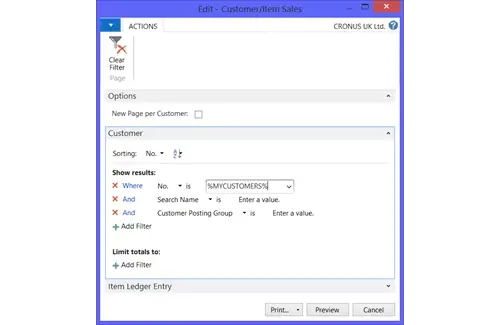
This list is specific to the user, who can add and remove the customers that they deal with on a regular basis. You can now run a report (the example being Customer/Item Sales) and filter using the %MYCUSTOMERS%.
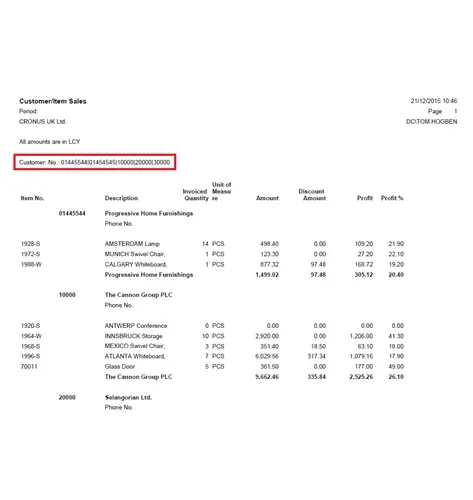
You can see below the report has only run the customers from my list.
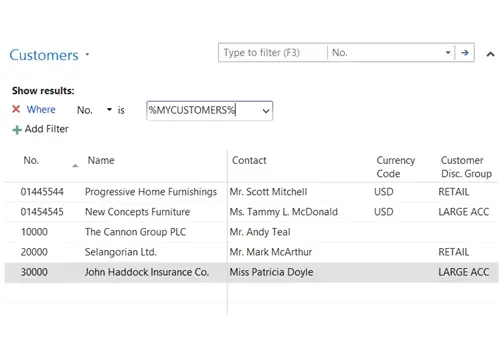
Now this isn’t restricted to reports. It can also use on a list screen to quickly view your customers.
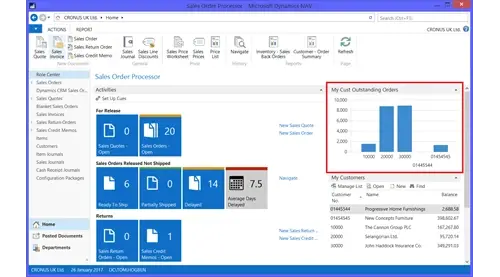
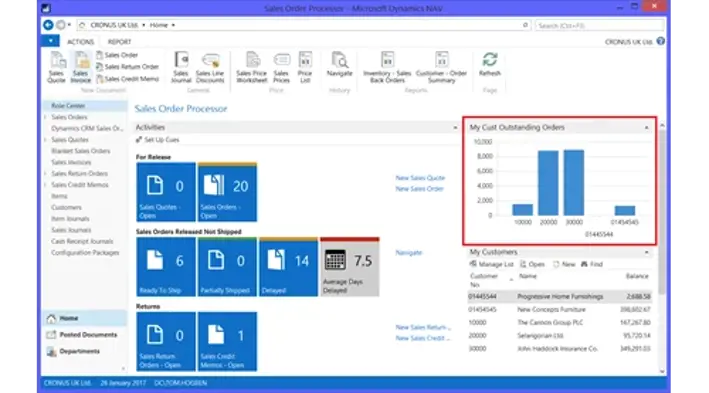
You can now be really clever and click “Show as Chart” in the ribbon and select the measurements and dimensions you wish to see. It has kept the filter of %MYCUSTOMERS% and therefore will only show results based on them. You can then save the chart and add it to the role centre, the example below shows the value of outstanding orders from “My Customers”.
Now there are other filters that work in a similar way.
%MYITEMS% - shows the items you add to the “My Items” list on the role centre.
%MYVENDORS% - shows the vendors you add to the “My Vendors” list on the role centre.
The following % filters are useful for administrators who want to create a chart on everyone’s role centre which returns a view specific to individuals when they run NAV.
%USER% - returns the user ID of the current user.
%COMPANY% - returns the name of the current company.
I hope you have found this useful. We run a range of training courses for Dynamics NAV so if you would like to learn more please see our training page.

Billing errors, inventory discrepancies, client trust issues? Discover the 7 signs your warehousing business has outgrown its CRM or spreadsheets.

Manufacturing businesses face daily pressures that standard CRM systems simply weren't designed to handle. Your teams need to manage complex product configurations, track quality standards, coordinate with suppliers, and maintain detailed production schedules whilst still nurturing customer relationships.

Microsoft Dynamics 365 Business Central includes customer relationship management features, but you might wonder if these tools are sufficient for your business needs.