Web client

New Features of NAV 2016 - Web Client

New Features of NAV 2016 - Web Client

NAV 2016 brought a wealth of improvements for the Web Client. I will focus on those I heard my customers complain about most often:
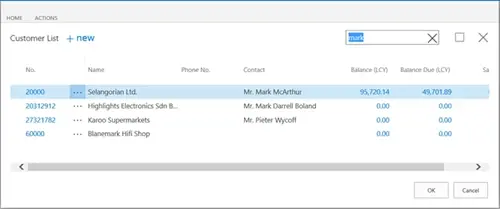
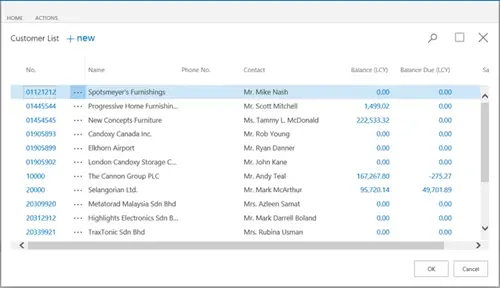
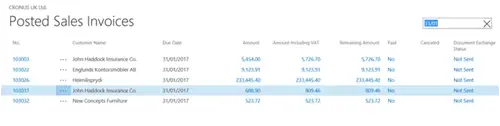
  • Find as you type – when searching for a customer to add to a sales order for example, there are options:
    • Find as you type – which searches the Customer name and presents a list with the customers whose names contain the string.
    • Lookup – which opens a page in line with the field being edited. The lookup page has a Search across columns option – searching across the customer number, name and associated contact. The Freeze pane and horizontal navigation are also available.

  • Scroll through records on lists – new records are dynamically added to the list, rather than using next/previous group.

  • Search across columns – for list pages. I mentioned it before, but it deserves a special mention. It is the equivalent of the Quick Filter in the Windows client, but without the step of selecting the column to filter on.

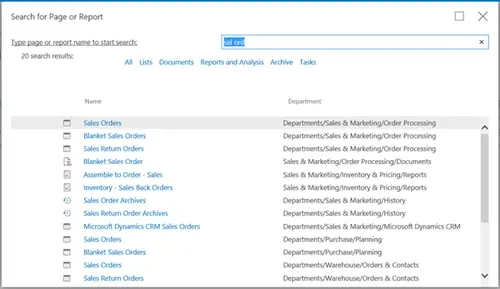
  • Search Pages/Reports - Finally, the ‘magic’ search box is here! No need to add all pages/reports required to be accessed by a web user to the Navigation Pane. I think this feature will be received with mixed feelings. The previous limitations of the web client made it very easy to control access to the database for users who used only the web client without extensive security permissions. However, the benefit of having access to all pages and reports in the system far outweigh any potential permissions inconvenience, especially now that it is possible to track permissions required for a process.

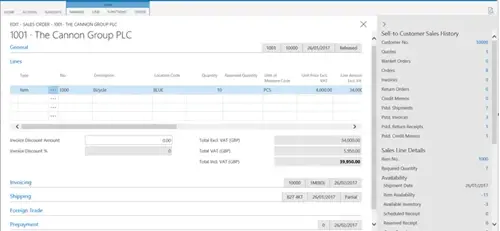
  • Collapse tabs/show more fields on Card Pages. Fact boxes can also be collapsed to gain more space on the page.

  • Focus on Card Pages – is automatically set on the first field when the card is open. The user can start typing immediately.
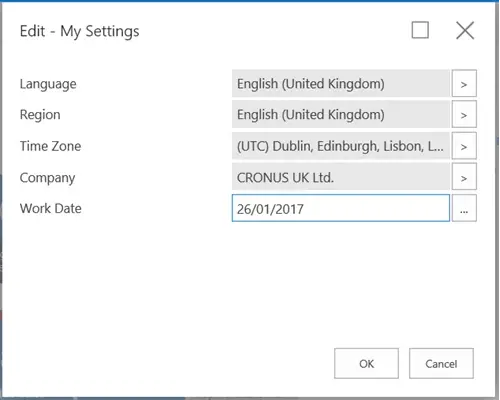
  • User Settings – users can now change the company. This makes the setup easier for users who only use the Web Client and need to access different companies in the database. With previous versions of NAV, a separate web server instance had to be created for each company.

There are other improvements to the web client, but the ones I mentioned above topped the list in my opinion.


How Business Central Streamlines Heavy Machinery Assemblies

23 March 2026

Managing heavy machinery assemblies requires precise coordination across multiple production stages, material tracking and quality control processes. Microsoft Dynamics 365 Business Central provides an integrated platform that connects production planning, inventory management and real-time monitoring to streamline your heavy machinery assembly operations.

10 Machine Building Production Bottlenecks Affecting Your Shop Floor

09 March 2026

When your shop floor production slows, costs rise or quality issues emerge, the underlying causes may not always be obvious. Here, we'll cover the common – and uncommon – issues on your shop floor affecting productivity and how you can address them to keep up with your manufacturing demands.

Scroll to top