
7 Signs Your Warehousing Business Has Outgrown Its CRM or Spreadsheets
Billing errors, inventory discrepancies, client trust issues? Discover the 7 signs your warehousing business has outgrown its CRM or spreadsheets.


 Tanya Denton

Microsoft Dynamics NAV 2016 offers a new feature called 'Word Forms'.
You can now choose which word report layout to email or print, per Customer for statements, and per Vendor for remittances using Word Forms.
Microsoft have provided word layouts for both statements and remittances to help you get started with Dynamics NAV 2016 Word Forms.
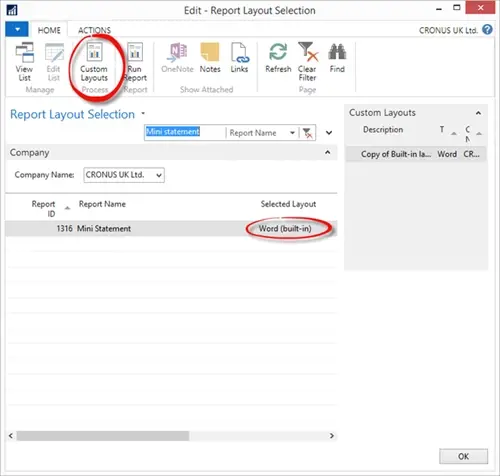
From the ‘Report Layout Selection’ you can see that Microsoft has provided a word layout for the Mini Statement (Report 1316). To see the setup of this Word Layout, we can select ‘Custom Layouts’ from the ribbon.
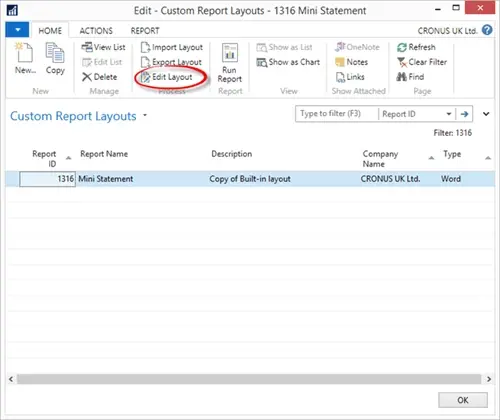
From ‘Custom Report Layouts’ we open the layout in Word by selecting ‘Edit layout’.
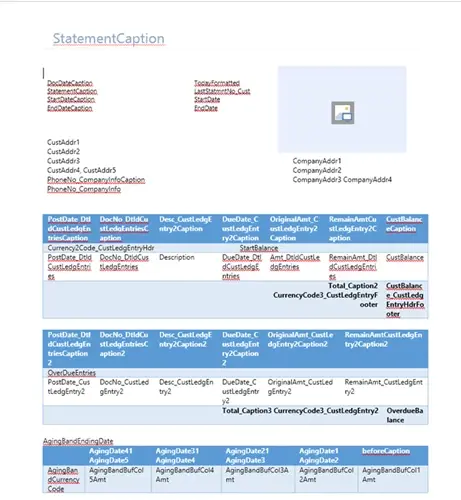
Word will open the mini statement word layout.
So we can see how Word Forms can be used to send different Mini statement layouts to different customers, we will create another word layout.
(Close word if you still have the mini statement word layout open)
If we go back to the Custom Report Layouts page and select Copy from the ribbon, we can use this as a basis for another word layout.
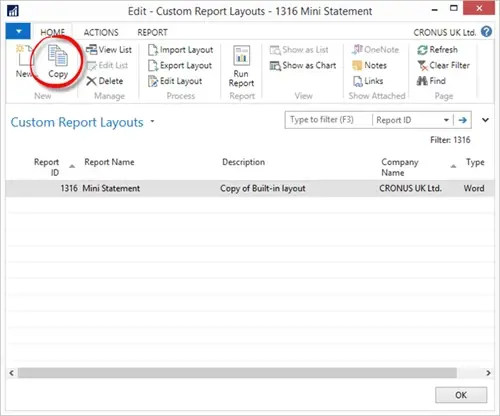
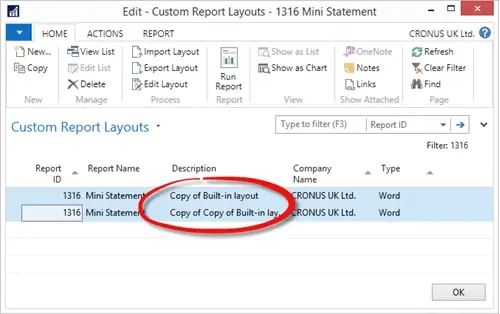
To lessen confusion we can take this opportunity to rename the descriptions.
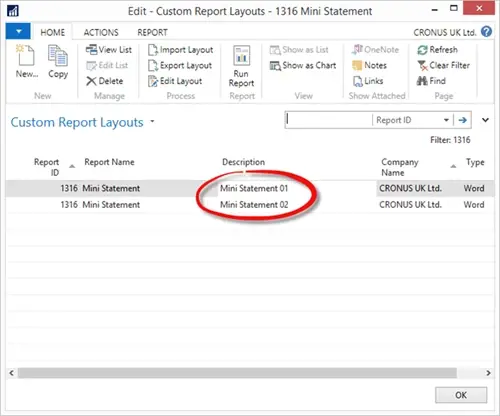
To make changes to the ‘Mini Statement 02’ select Edit Layout from the ribbon to open the layout in Word.
We can make a small change to show the Company VAT No on this second layout. (Close and import the changes).
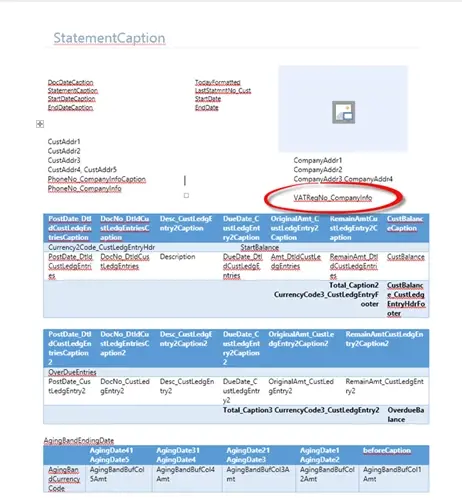
To see the different layouts that can be used per customer, we will now setup two customers to each use a different layout for the Mini Statement report.
Select a Customer and from the ribbon on the Customer Card select ‘Document Layouts.’
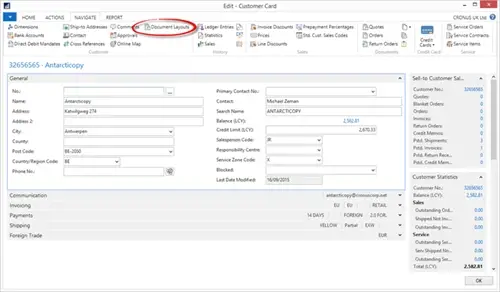
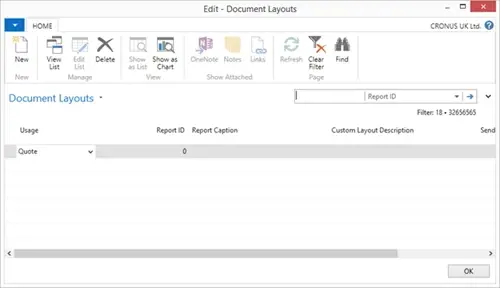
From the ‘Document Layouts’ we can now change the Usage to ‘Customer Statement’, Report ID to ‘1316’, by clicking on the ‘Custom Layout Description’ we can select which layout to use, and lastly we can enter the email address that Customer wishes their statements to be sent to.
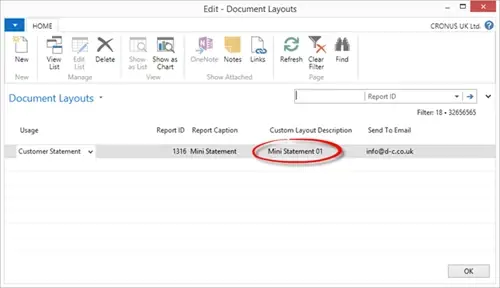
We can repeat the above steps for our second Customer and select our Mini Statement 02 layout.
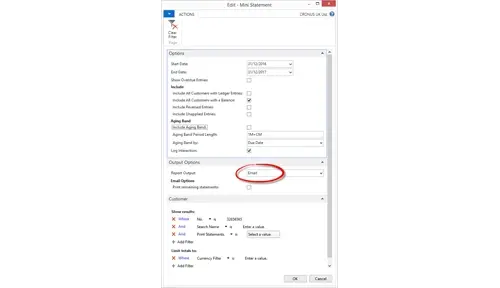
To see that we have successfully setup our two customers for different Mini Statement layouts, we can run the Statement report for each Customer.
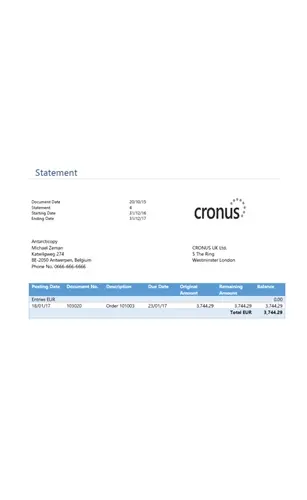
Our Results…
Customer 1 – Mini Statement 01
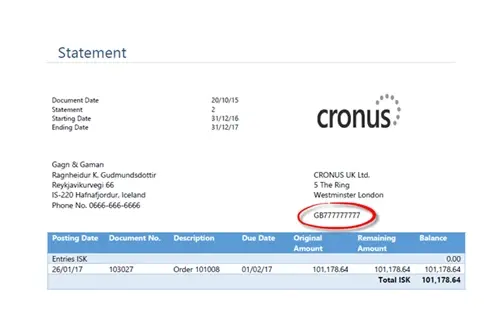
Customer 2 – Mini Statement 02
Don't forget to register to come to our Business Software Showcase this Friday! We will be holding presentations throughout the day on the different solutions we provide. Register Now >

Billing errors, inventory discrepancies, client trust issues? Discover the 7 signs your warehousing business has outgrown its CRM or spreadsheets.

Manufacturing businesses face daily pressures that standard CRM systems simply weren't designed to handle. Your teams need to manage complex product configurations, track quality standards, coordinate with suppliers, and maintain detailed production schedules whilst still nurturing customer relationships.

Microsoft Dynamics 365 Business Central includes customer relationship management features, but you might wonder if these tools are sufficient for your business needs.